
Blog
Fall events in Phoenix this October 2021!
Fall events in Phoenix this October!
Are you excited for this Autumn season and looking to get into the fall spirit? Look no further! Phoenix offers an array of events for friends, families, couples, and anyone looking to enjoy a sense of community in The Valley! Check out the fall-themed events in Phoenix below!
Schnepf Farms Pumpkin and Chili Party- Where: 24810 S. Rittenhouse Road, Queen Creek
- This fall festival offers an amusement park experience with roller coasters, kiddy rides and more. Enjoy corn mazes, mini-golf and of course award winning chili and other crowd favorites!
- When: Thursday- Sunday, October 1st – November 1st 2021
- Price: $23 per person, Children 2 and under free
- Website: https://www.pumpkinandchiliparty.com/
- Where: 8980 N. 90th Street Scottsdale, AZ 85258
- Enjoy Halloweentown in Scottsdale with family and friends! This event has face painting, carnival games, rides and a pumpkin patch.
- When: October 14-31st,
- Price: $5 admission, ride tickets $1 each. Parking is free
- Website: https://www.halloweentownaz.com/
- Where: Fletcher Heights Park, 8135 West Cactus Drive Peoria, AZ 85383
- This free Halloween movie event is perfect for a family outing! Bring your lawn chair and enjoy the spooky 2019 animated rendition of the Addams Family with the community!
- When: October 9th, 2021 5:00 PM – 9:00 PM
- Price: Free!
- Where: South Mountain Community Center, 212 East Alta Vista Road Phoenix, AZ 85042
- Decorate your car as spooky as you can, show off your best Halloween costumes and drive through the SMCC graveyard as take part in this fun community event!
- When: October 29th, 2021 6:00 PM – 8:00 PM
- Price: Free!
- Where: 7550 E. Adobe Street Mesa, AZ 85207
- Shop and take a look at unique fall crafts as well as taste some great treats!
- When: October 16th, 9:30 AM – 1:30 PM
- Price: Free!
- Where: 34250 N. 60th Street Scottsdale, AZ 85266
- Experience this showcase of over 1,000 beautifully colored pumpkins handmade by Gregory Tomb! Pumpkins will be available for purchase and all proceeds will go to the Holland Center which is a nonprofit organization focused on bettering the arts, education and community in the Desert Foothills Region.
- When : October 22nd-24th 2021, 10:00 AM – 5:00PM
- Price: Free!
Are you excited for this Autumn season and looking to get into the fall spirit? Look no further! Phoenix offers an array of events for friends, families, couples, and anyone looking to enjoy a sense of community in The Valley! Check out the fall-themed events in Phoenix below!
Please note that this Scottsdale Real Estate Blog is for informational purposes and not intended to take the place of a licensed Scottsdale Real Estate Agent. The Szabo Group offers first-class real estate services to clients in the Scottsdale Greater Phoenix Metropolitan Area in the buying and selling of Luxury homes in Arizona. Award-winning Realtors and Re/MAX top producers and best real estate agent for Luxury Homes in Scottsdale, The Szabo group delivers experience, knowledge, dedication and proven results. Contact Joe Szabo at 480.688.2020, info@ScottsdaleRealEstateTeam.com or visit www.scottsdalerealestateteam.com to find out more about Scottsdale Homes for Sale and Estates for Sale in Scottsdale and to search the Scottsdale MLS for Scottsdale Home Listings.
Drill Brush Power Scrubber to Make Clean Up a Snap by Joe Szabo, Scottsdale Real Estate Team
We all have a cleaning task around the house that we absolutely hate to do; scrubbing stovetop grates, tile grout, and glass shower doors top my list. I used to procrastinate these tasks for days, sometimes weeks, which made them even harder to clean as grease, grime, and soap scum slowly built up.
But thanks to these marvelous drill-bit brushes , those pesky problems are in the past and I’m spinning my way into a squeaky-clean future with battery-powered ease.
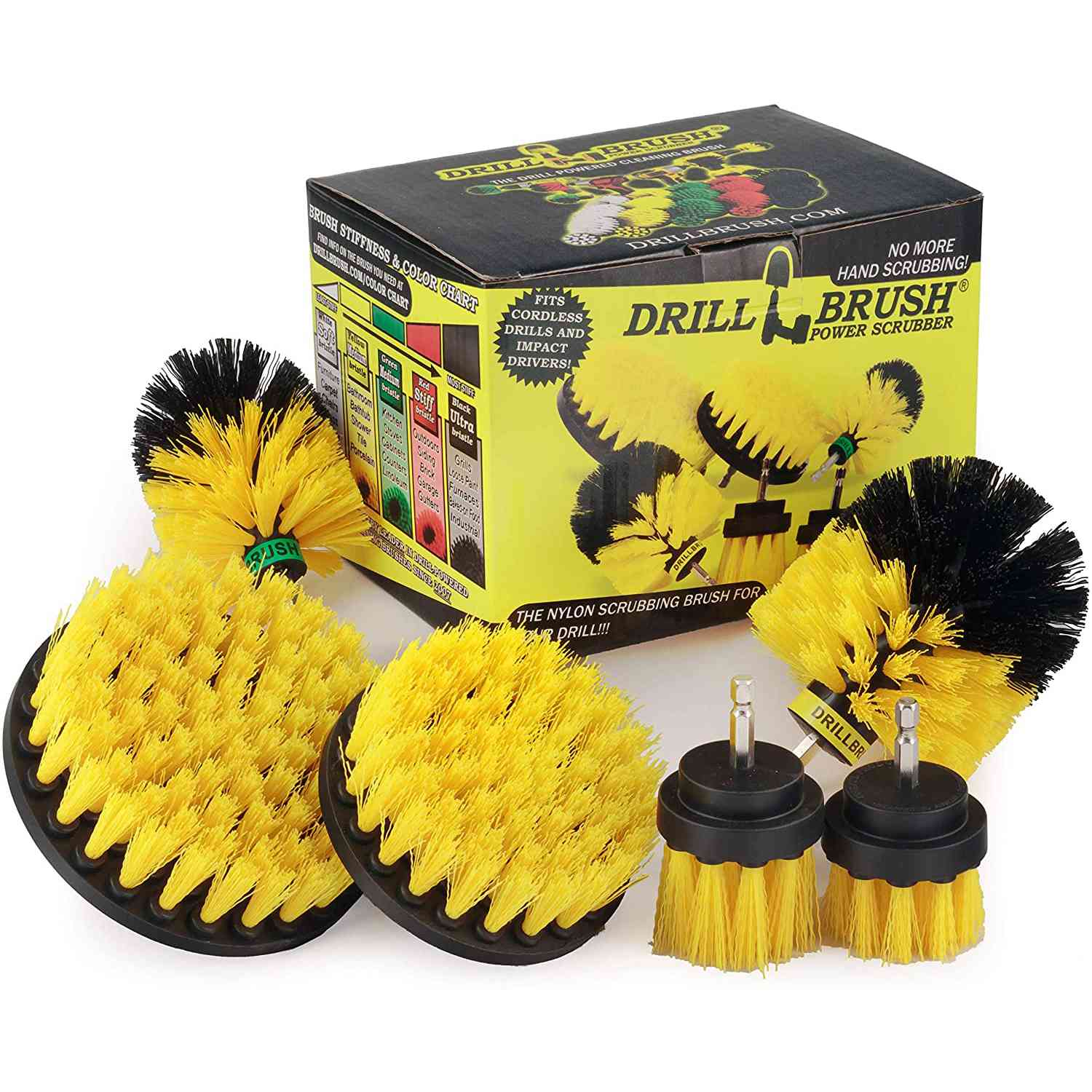
Courtesy of Amazon
Buy It: Drill Brush Power Scrubber, ($26, Amazon)
These nylon ninjas are seriously amazing. All you do is attach a brush to the end of a battery-powered drill or screwdriver and start scrubbing away the grime. Pair them with your favorite cleaner or disinfectant, and you’ve got the ultimate grease-fighting duo.
I have yet to find a cleaning problem the spin-brushes can’t solve—and fast. I love to use mine on glass, grout, tile, fiberglass, and metal. It’s especially satisfying to watch them dig into hard-to-reach spots like shower hinges and brackets. The set of six comes with 4- and 5-inch flat brushes, long-and short-bristle 2-inch brushes, and two rounded heads, so I can use them practically anywhere.
You can also purchase the set in varying strengths, ranging from soft to ultra-bristle. The soft white bristles work on fabrics, upholstery, or car wheels (just to name a few), while the ultra-stiff black brush heads make grills, smokers, rusty metal, and cast iron look like new. There are three more middle-ground strengths for cleaning your kitchen, outdoor furniture, and home exterior, too. The possibilities are seemingly endless, and you’ll save yourself hours of hard scrubbing.
I especially like to pair the brushes with a favorite nontoxic all-purpose cleaning spray ($13, Amazon), then wipe everything clean with an eco-friendly microfiber cloth. The brushes do spray at times, so it’s important to wear gloves and eye protection.
As soon as you try these power brushes, you’ll never go back to scrubbing by hand. So grab yourself a set and take your home for a spin.
Please note that this Scottsdale Real Estate Blog is for informational purposes and not intended to take the place of a licensed Scottsdale Real Estate Agent. The Szabo Group offers first-class real estate services to clients in the Scottsdale Greater Phoenix Metropolitan Area in the buying and selling of Luxury homes in Arizona. Award-winning Realtors and Re/MAX top producers and best real estate agent for Luxury Homes in Scottsdale, The Szabo group delivers experience, knowledge, dedication and proven results. Contact Joe Szabo at 480.688.2020, info@ScottsdaleRealEstateTeam.com or visit www.scottsdalerealestateteam.com to find out more about Scottsdale Homes for Sale and Estates for Sale in Scottsdale and to search the Scottsdale MLS for Scottsdale Home Listings.
How to Clean Your Keyboard, Mouse, and Screen by Joe Szabo, Scottsdale Real Estate Team
Before cleaning computer accessories and screens, power down your device and unplug the keyboard and mouse. Use these steps to clean your keyboard.
- Clear any loose crumbs and dust from the keyboard by gently shaking it upside-down over a trash can.
- Spray compressed air between the keys to clear the remaining debris.
- Clean the keyboard with a disinfectant wipe, paying extra attention to often-used keys such as the space bar and Enter key.
- You may want to squeeze out extra liquid from the wipe before cleaning to avoid dripping moisture into the openings, which can damage the keyboard.
Follow similar instructions for cleaning your computer mouse.
- Unplug the mouse and remove batteries if needed, then clean all sides and the scroll with a disinfectant wipe.
- For laptops, swipe the disinfectant wipe across the touchpad, taking care not to get excess moisture into the openings.
To clean your computer screen, avoid using paper towels, cleaning rags, glass cleaners, and other harsh chemicals, as these can damage the LCD screen.
- Wipe the display with a microfiber cloth dampened with a diluted solution of mild dish soap and warm water.
- Rinse the cloth with clean water, squeeze out excess moisture, then wipe again to remove any soapy residue.
Disinfectant wipes also work well for cleaning your home or office desk phone.
- Unplug the device and wipe down all surfaces, including the ear and mouthpieces, cords, and buttons.
- To help keep your phone germ-free, make sure your hands are clean before using it.
- Aim to clean your office phone daily and immediately after someone else has used your phone.
Here’s How to Clean Your Desk Right by Joe Szabo, Scottsdale Real Estate Team
The average desk is contaminated with a shocking amount of bacteria (even more than a public toilet). Use these office cleaning tips to banish germs from your workspace. As you sit at your desk, typing on your keyboard and sipping from your coffee cup, you’re surrounded by thousands (perhaps millions) of germs. In fact, the surfaces around your workplace are some of the worst bacteria hotspots you come in contact with each day. Office items such as keyboards and desks are breeding grounds for bacteria, yet these frequently touched surfaces are rarely cleaned, according to a survey by job-search site Joblist. Respondents reported cleaning their computer mouse and keyboard an average of fewer than two times a month and their desks about three times a month. Nearly a quarter of the 1,000 respondents also admitted to going at least one entire workday without washing their hands over a one-month period. These unhealthy habits can lead to a workplace crawling with germs. According to research from Charles Gerba of the University of Arizona, the average desk is teeming with about 800 bacteria per square inch. The unwashed coffee cup sitting at your desk and your work phone are even grosser, with 2,200 and 1,600 bacteria per square inch, respectively. To compare, the office toilet seat harbors about 59 bacteria per square inch, a small fraction of the germs you make contact with at your own desk. Think about that the next time you’re eating lunch while taking calls or typing emails.
Coming in contact with these bacteria-ridden office surfaces can lead to serious illnesses and infections. One study found that 96% of the 25 keyboards tested were contaminated with potentially harmful bacteria, including disease-causing microorganisms such as E. coli, which comes from fecal matter, and Staphylococcus aureus (MRSA), an antibiotic-resistant bacteria that causes infections.
To make matters worse, almost three-quarters of the Joblist survey respondents said they’ve gone to work while sick. And when someone in your office is ill, your risk of infection can be up to 90%, research from the University of Arizona shows. The study found that more than half of workplace surfaces, including the office coffee pot handle, doorknobs, phones, and desks, can become infected with a virus with just one sick person in the office. However, simple sanitation steps, such as washing your hands before you eat and regular cleaning with disinfectant wipes, dropped the risk of infection to less than 10%.
Although frequently touched desk items, such as your keyboard, phone, and computer mouse, can be difficult to keep completely germ-free, proper cleaning habits can seriously help. First and foremost, to prevent the spread of germs, wash your hands well and often, especially after using the restroom and before eating. Then follow these cleaning practices to regularly disinfect your desk and other office items. To keep your workspace sparkling, consider wiping down these office surfaces every evening before you leave work.
To clean and disinfect your desk area, start with the items on top.
- If you use a coffee cup or reusable water bottle, wash it daily with liquid dish soap and hot water or take it home or to the kitchen each night after work to run it through the dishwasher.
- Use disinfectant wipes to clean items such as your stapler, tape dispenser, scissors, and most-used pens, making sure to wipe down all sides.
- Consider washing other desktop accessories like pen holders with soap and water.
Next, you can disinfect the surface of your desk.
- Remove all items, including your computer (if possible), phone, pen holder, stapler, and other accessories, from the desktop (or move them to the side while you clean).
- Use disinfectant wipes to thoroughly wipe down the entire surface.
- Wait for the cleaning solution to dry before moving the desk items back into place.
You Need to Clean Your Thermometer After Each Use by Joe Szabo, Scottsdale Real Estate Team
When someone in your family feels sick, one of the first things you typically do is take their temperature. Fever is a common symptom for many illnesses, including influenza and COVID-19, making a thermometer an essential household tool, especially during a global pandemic. Because temperature readings often involve direct contact with a sick person, thermometers should be cleaned before and after each use. If multiple people are using the same device, you should both wash and disinfect the thermometer between uses to avoid passing germs between people. To make sure you’re sanitizing it safely, follow these instructions for cleaning a thermometer, including digital and infrared versions.
Typically the least expensive option, a digital thermometer ($10, Amazon) uses an electronic heat sensor to measure a person’s body temperature in less than a minute. These can typically be used in the mouth, armpit, or rectum (but each device should be limited to one type of use to prevent cross-contamination). To clean a thermometer, you’ll need rubbing alcohol with at least 60% alcohol, which is most effective at killing germs according to the Centers of Disease Control and Prevention (CDC). Then follow these instructions to clean and sanitize a digital thermometer before and after use:
- Soak a cotton ball or pad in rubbing alcohol ($4, Walmart) and use it to thoroughly coat the entire device. Use a cotton swab dipped in alcohol to clean inside any small crevices.
- Allow the alcohol to air-dry on the thermometer to effectively kill germs.
- If desired, rinse the device under cool water to remove traces of alcohol, taking care not to wet any electronic elements, such as the display.
- Let the thermometer air-dry completely before using or storing.
Alternatively, you can wash the thermometer with soap and water, but take care not to submerge the electronic components, which could damage the device. You should also avoid using hot water to clean a thermometer, as this could damage the sensor that reads the temperature.
This forehead type of thermometer ($48, Amazon) uses an infrared sensor to measure body temperature in a few seconds through a forehead scan. Although many are designed to be used without touching skin, the device should be sanitized before and after use in case contact happens. Refer to the manufacturer’s instructions for guidance on cleaning your specific model. Follow these basic steps for cleaning the forehead thermometer:
- Clean the thermometer’s sensor with a cotton ball or pad soaked in at least 60% rubbing alcohol. You can also use a bleach wipe or alcohol pad ($4, Walmart).
- Let the thermometer air-dry completely before using or storing.
Cleaning a thermometer is vital to avoiding the spread of germs between members of your household. With these tips, you’ll be ready to take a safe, effective temperature reading whenever you need it.
Working from Home? More Office Items That Can Help You Stay Focused and Organized by Joe Szabo, Scottsdale Real Estate Team
Since many of us don’t have a designated home office, creating makeshift solutions will help the transition. We like this over-the-door hanging storage to keep notebooks, chargers, pens and other office supplies in check. Without worrying about a mess, you can spend more time getting work done (and later relaxing with Netflix.)
Buy It: Honey-Can-Do 20-Inch Over-the-Door Soft Hanging Organizer in Natural, $35.99, Target
Courtesy of Wayfair
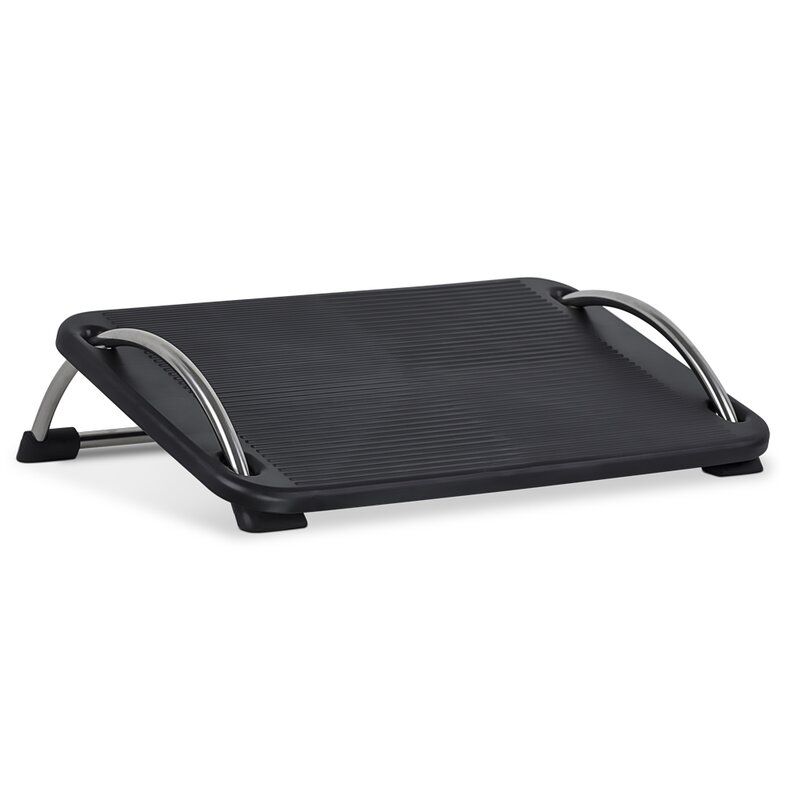
Rather than letting your feet dangle or tuck underneath you, give your toes a bit of support with this under-desk footrest. The 18-inch-wide device keeps feet elevated and comes with three height adjustments for better posture.
Buy It: Goins Ergonomic Adjustable Angle and Height Office Footrest, $34.99, Wayfair
Courtesy of The Home Depot
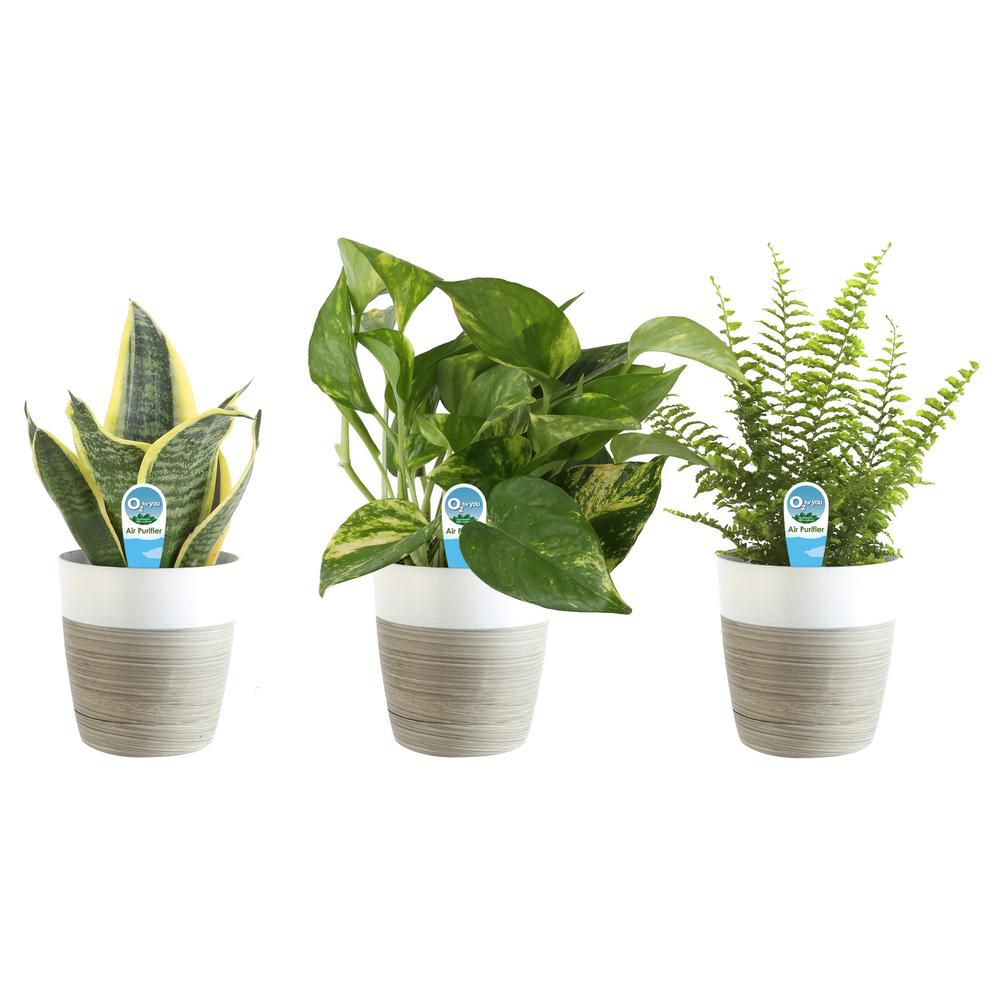
One way to improve the air you breathe is via our plant buddies. This set of three is hand-selected from growers at Costa Farms, and each one is known to filter pollutants. These lightweight, easy-to-care-for green beauties will give you something to nurture and care for during this chaotic time (in addition to yourself).
Buy It: Costa Farms 02 For You House Plant Collection, $33.99, The Home Depot
Courtesy of Staples
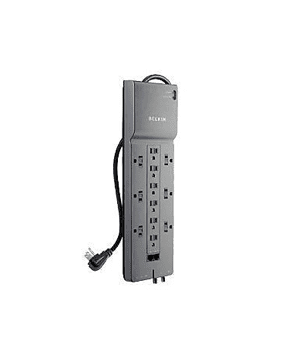
If you and your partner are now both working remotely, you might find yourself fighting for outlets. Avoid any squabbles with this 12-outlet power strip with a surge protector. You’ll be able to charge all your devices at once.
Buy It: Belkin 12-Outlet Power Strip Surge Protector w/ 8ft Cord, $36.39, Staples
Courtesy of Wayfair
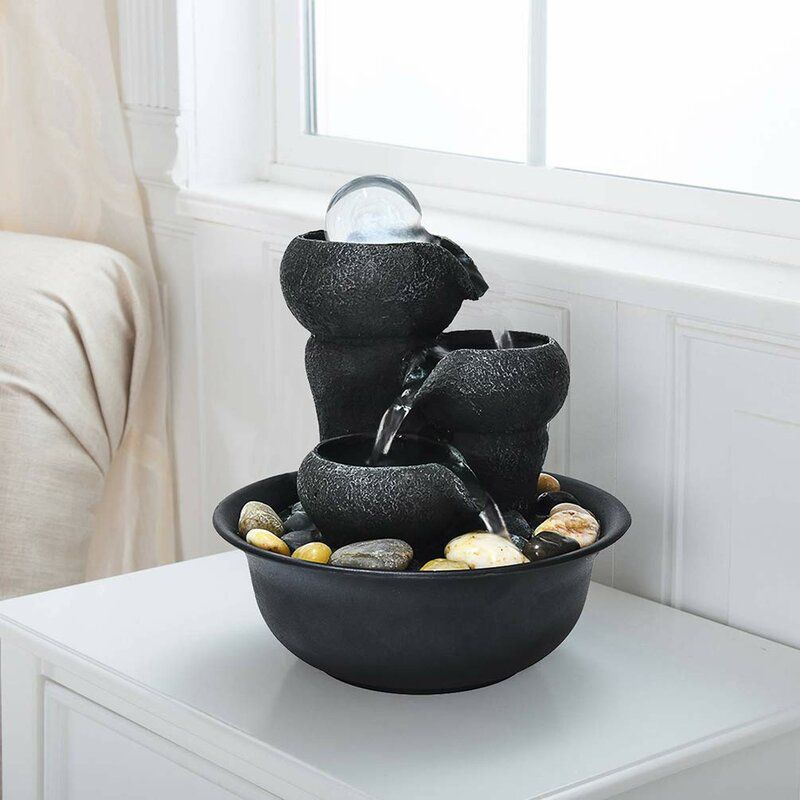
Many people are experiencing high levels of anxiety and stress with so much uncertainty around our welfare. It can be difficult to find peace during such a turbulent time. This relaxing indoor fountain creates a consistent, soothing sound to calm your nerves. Its small size (just 8 inches tall and wide) is ideal for your desk or even a bedside table.
Buy It: Resin Relaxation 3-Step Little Water Fountain with Light, $35.99, Wayfair
Working from Home? These Office Items Can Help You Stay Focused and Organized by Joe Szabo, Scottsdale Real Estate Team
While the new coronavirus is forcing many of us to stay inside, your home office (even if it’s temporary) shouldn’t add another layer of stress. With these favorite products, including essential office supplies, storage helpers, and little pick-me-up accents, you can get organized, stay focused, and even improve your posture. While you should receive them within a week, keep in mind that shipping could be delayed to prioritize emergency items during the pandemic. Here are 15 of our favorite work-from-home must-haves.
Courtesy of Bed Bath & Beyond
1
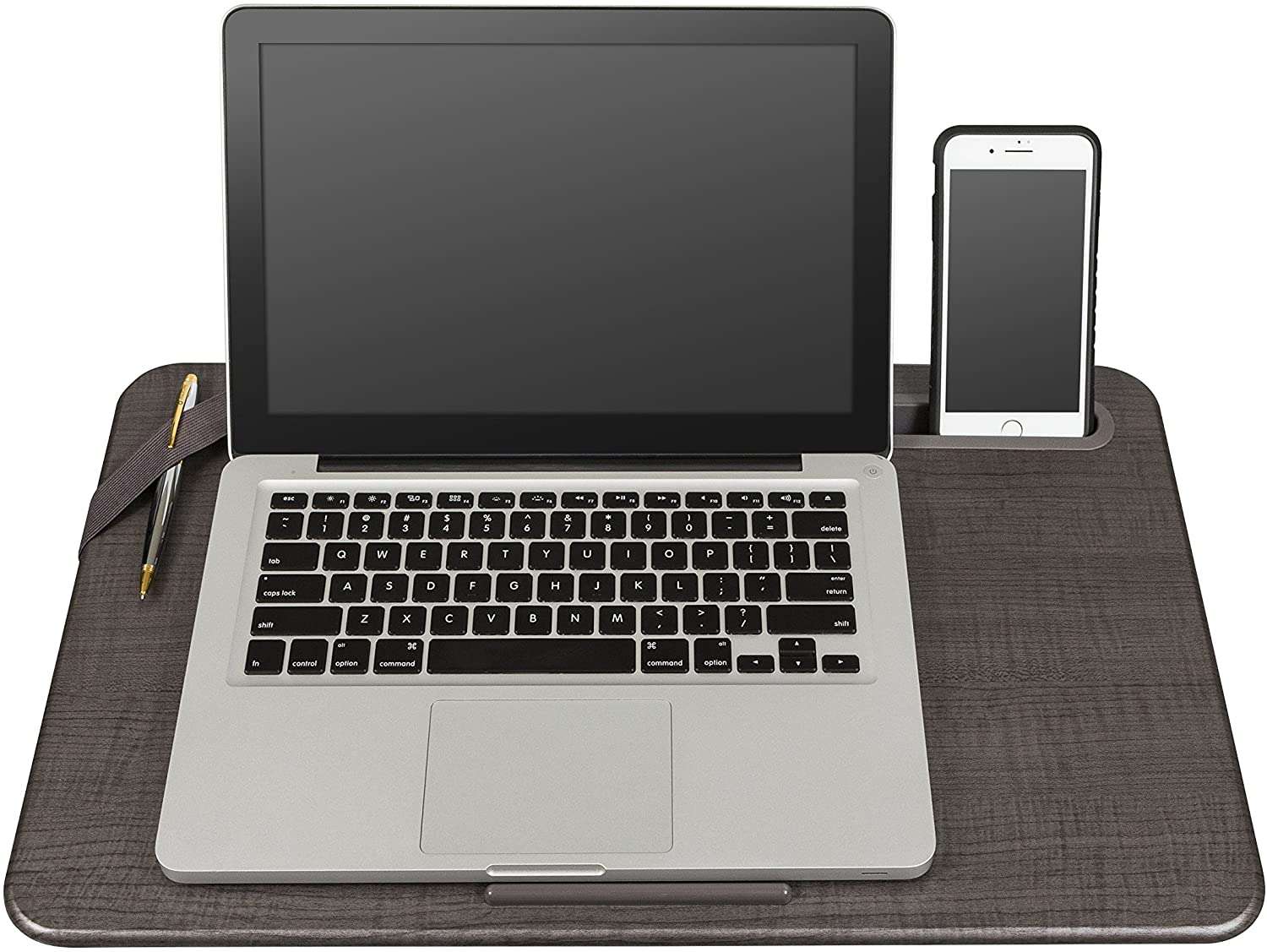
Long stretches of working from home sometimes require a break from your desk. But you can still take calls and meet deadlines from the comfort of your couch. To ensure your laptop doesn’t overheat (and that you can comfortably work) invest in a lap desk. This one comes with an elastic strap to hold writing utensils as well as a built-in slot for your phone.
Buy It: Lapgear® Large Deluxe Elevation Lap Desk in Linen Gray, $34.99, Bed Bath & Beyond
Courtesy of Best Buy
2
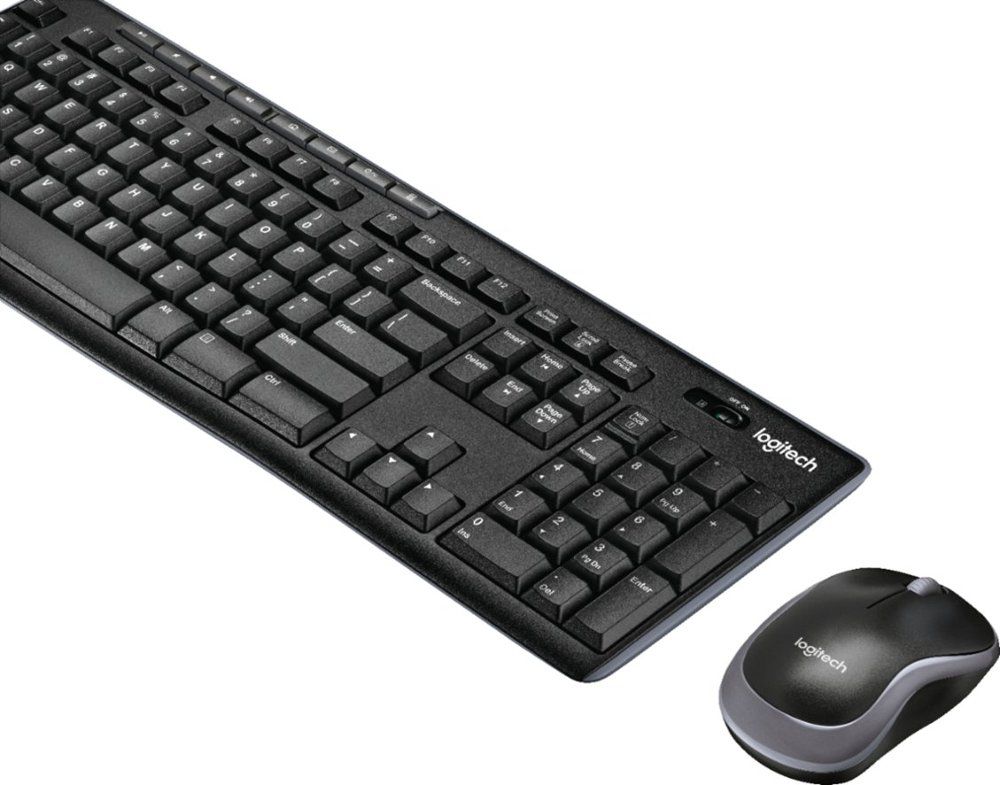
In response to COVID-19, many employees were told to work from home without time to grab a keyboard, mouse, or other supplies. Protect your posture (and prevent your hands from cramping up on a laptop keyboard) by investing in a wireless mouse and keyboard, that allow you to work from anywhere.
Buy It: Logitech – MK270 Wireless Keyboard and Mouse – Black, $24.99, Best Buy
Courtesy of J.Crew Factory
3
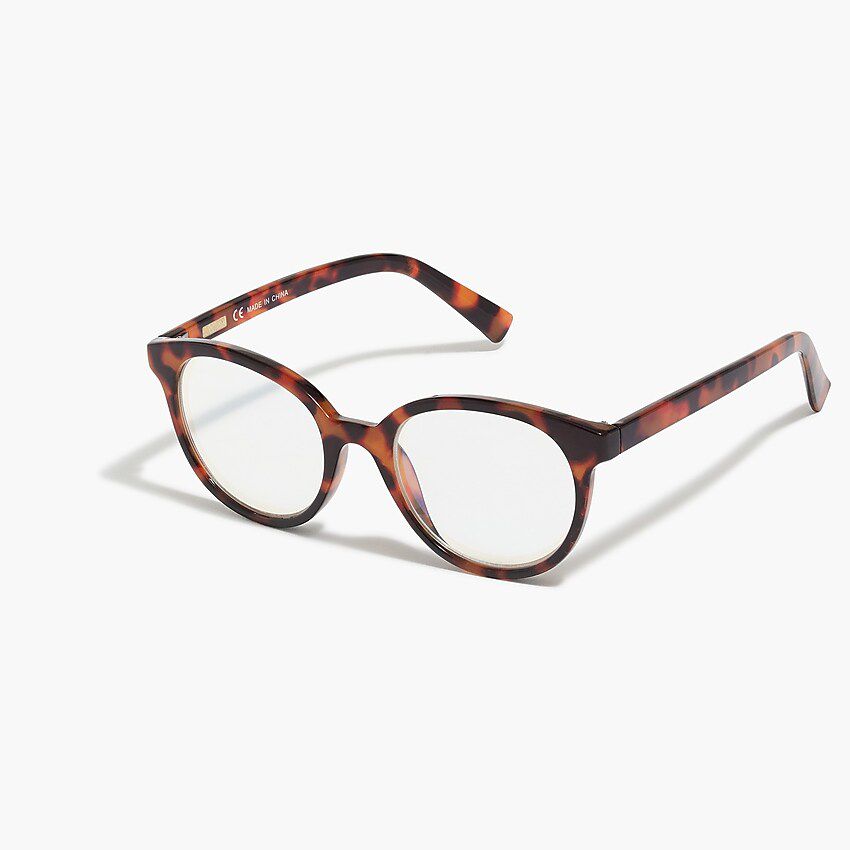
Because many of us are glued to our phones or computers checking the latest news (or finding an escape via funny Instagram feeds), you might be experiencing more screen time than normal. And while scientific evidence on the effects of blue light is mixed, these glasses are guaranteed to help you study in style.
Buy It: Round Blue-Light Glasses for Women, $11.50, J.Crew Factory
Courtesy of Best Buy
4
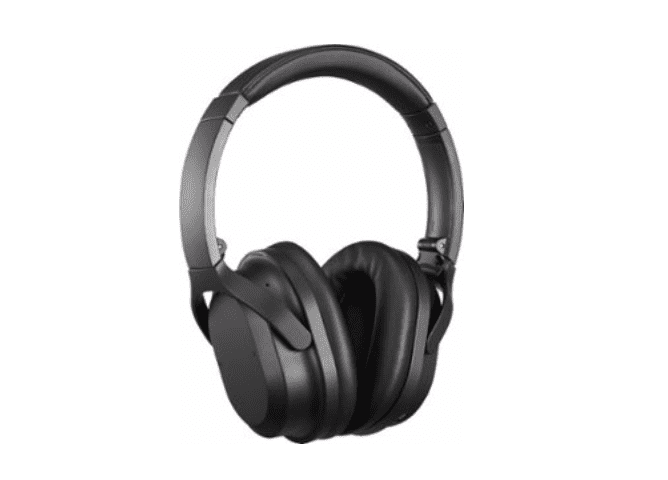
The dishwasher running; your children playing; your partner watching television: There are endless distractions at home that take away our attention from the task at hand. Luckily, these noise-canceling, wireless headphones will help you keep focused. Plus, they hold a charge for 20 hours!
Buy It: Insignia Wireless Noise Canceling Headphones, $79.99, Best Buy
Courtesy of Bed Bath & Beyond
5
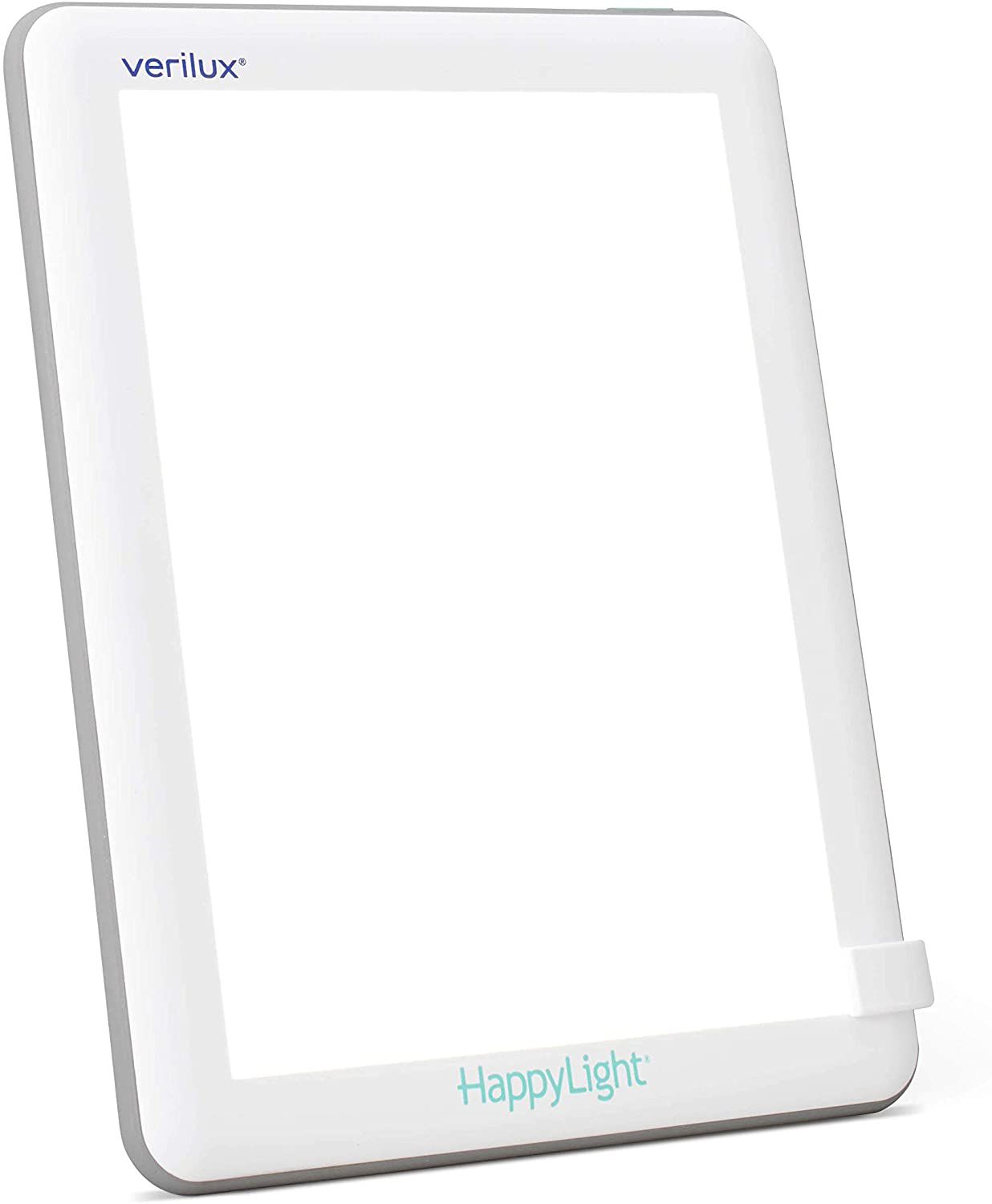
Not everyone is lucky enough to live in a home that overflows with natural light. And if you don’t have a private yard or patio, you might be stuck without consistent access to vitamin D from the sun. This UV-free LED lamp can serve as your source of sunshine and will help you fight the quarantine blues.
Buy It: Verilux HappyLight Lucent Light Therapy Lamp, $44.99, Bed Bath & Beyond
Courtesy of Staples
6
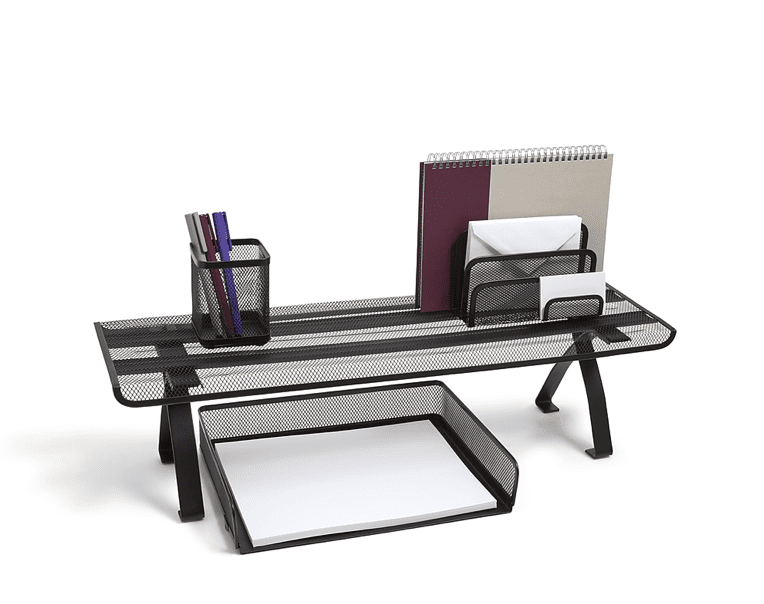
Even if your home office is a corner of your dining room where you’re also juggling a million other tasks, having some sort of organization system is good for productivity. This simple, yet effective mesh organizer includes a sliding drawer, five upright filing sections, and a spot for sticky notes, too.
Buy It: TRU RED Wire Mesh Desktop Shelf, Matte Black, $10.99, Staples
Courtesy of Office Depot
7
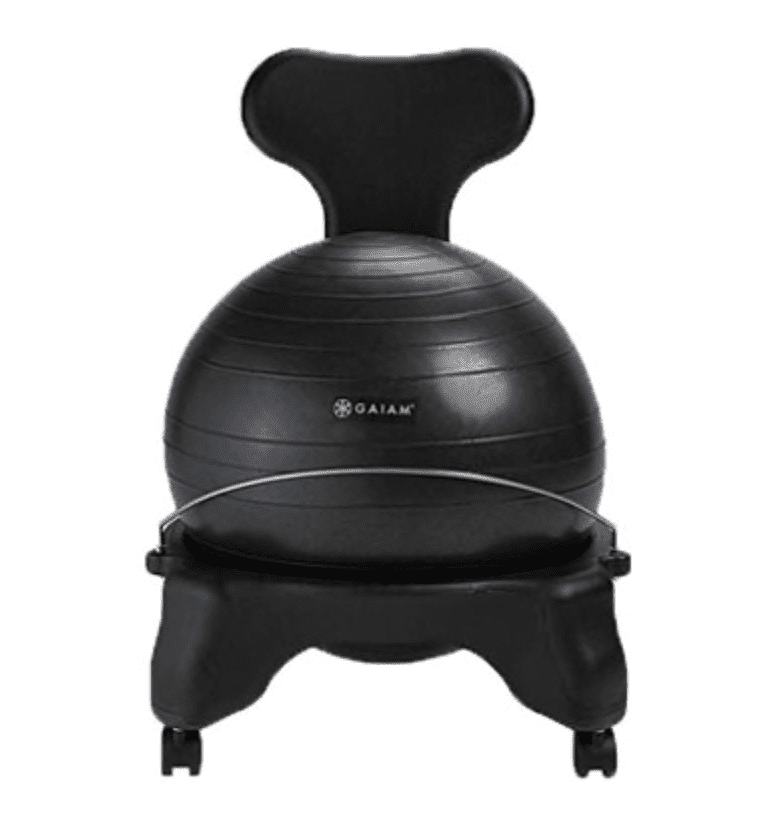
You might not have the best home-office ergonomics: straight spine, relaxed shoulders, and perfectly-aligned wrists and hands. To improve your posture and protect your spine, try sitting on this balance ball chair a few days of the week. The nearly-five star-rated seating comes with casters so you can easily move about your office, or take the ball out of the base completely for a lunch-break workout.
Buy It: Gaiam Balance Ball Chair, Blue, $71.99, Office Depot
Courtesy of Overstock
8
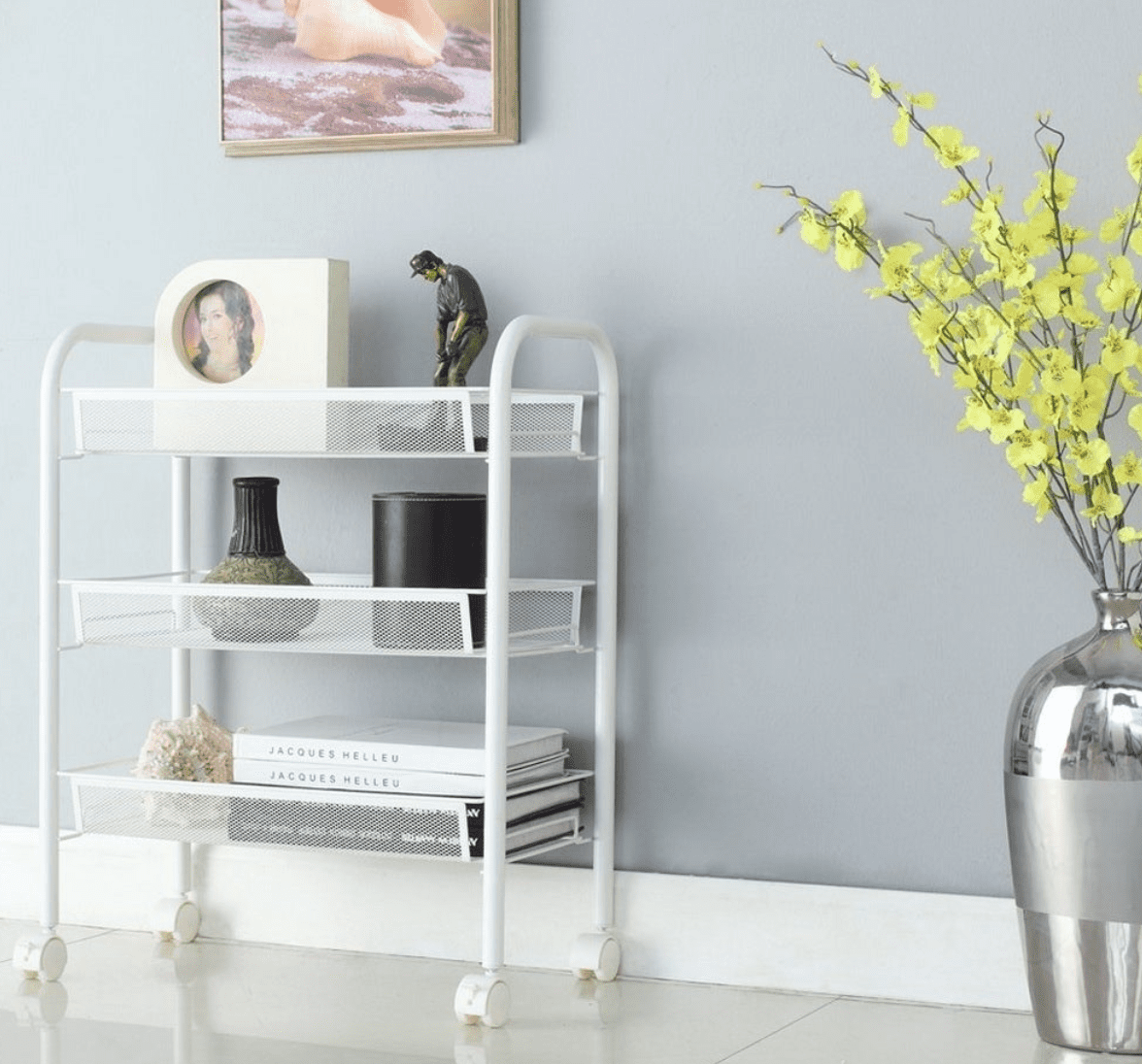
Looking to get organized? Consider finally sorting that pile of random papers you have hanging out at home. Enter: this three-tier rolling file cabinet that is as sleek as it is functional. The best part? You can easily repurpose it for storage or extra shelving once you transition back to your office away from home.
Buy It: 3 Tier File Cart, $35.09, Overstock
Courtesy of Target
9
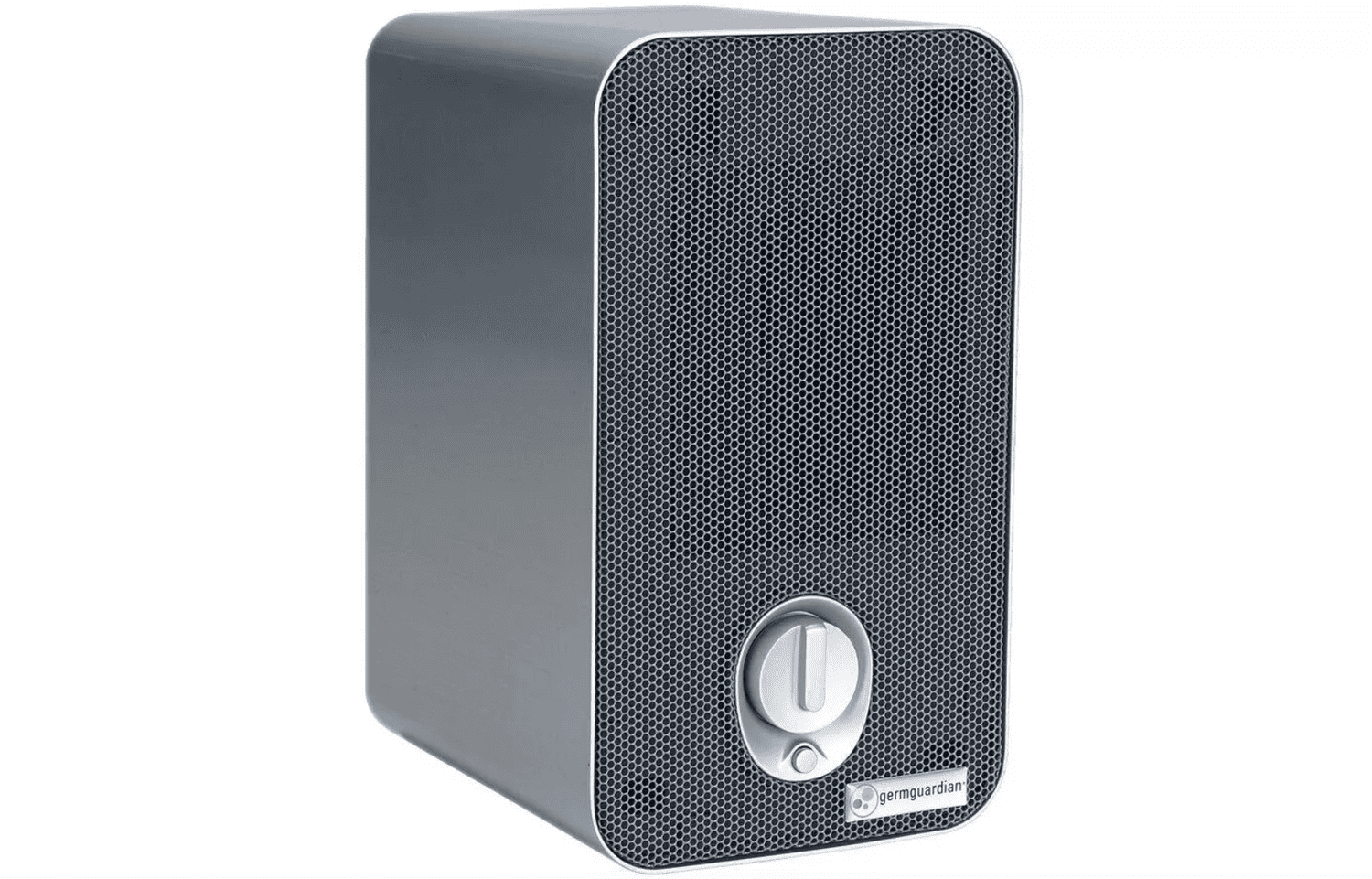
It’s never a bad time to improve the quality of the air you breathe. This desktop air purifier comes with a HEPA filter and removes 99% of dust, pollen, smoke, odors, and pet dander. Since you’ll be inside for the foreseeable future, why not have better-quality air circulating?
Buy It: Germ Guardian 3-in-1 Air Purifier Table Top Tower, $59.99, Target
Courtesy of Bed Bath & Beyond
10
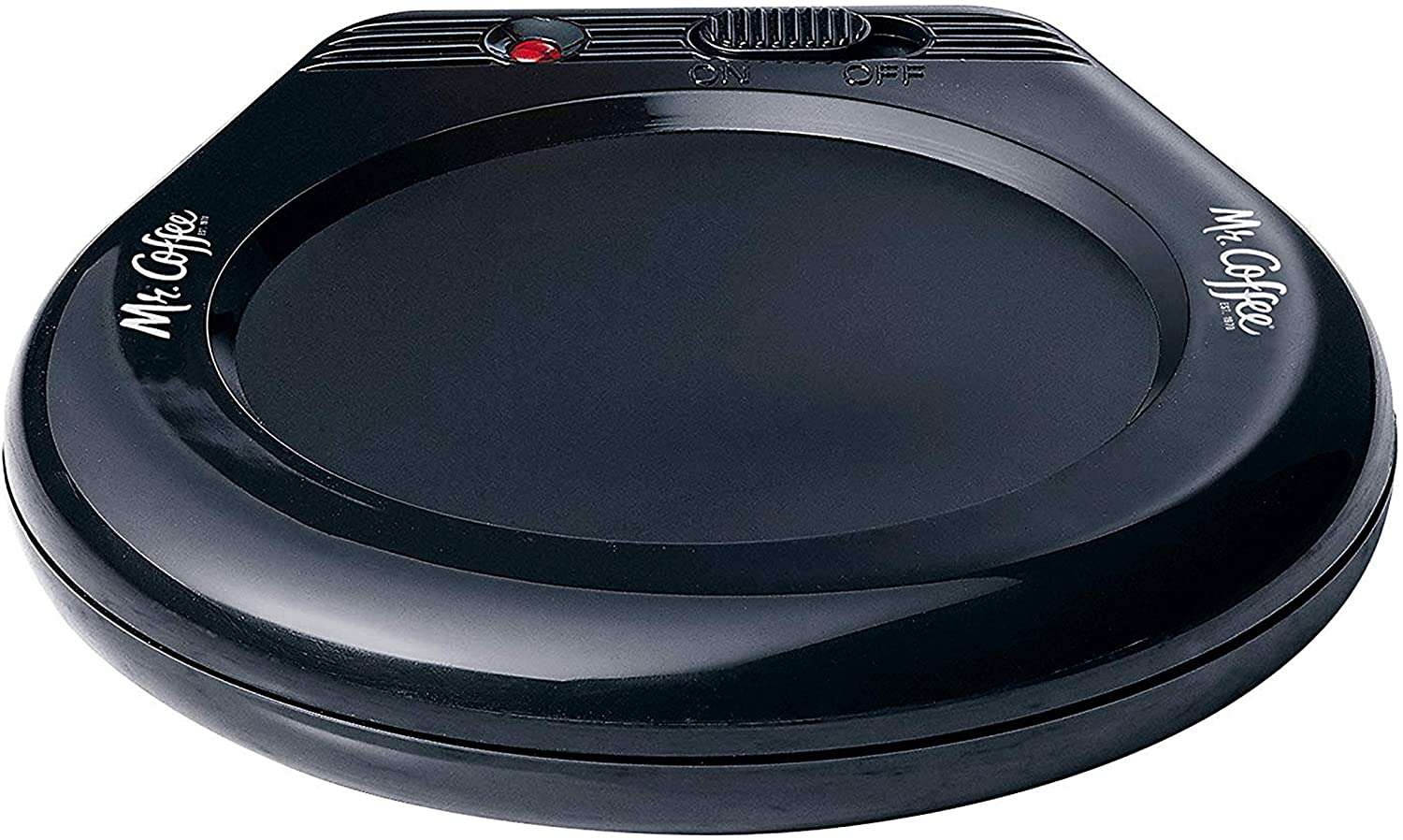
You meant to finish that fresh cup of Joe you brewed this morning but then an unexpected meeting popped up. This inexpensive yet super-handy desk accessory will keep your mug warm so you don’t have to keep running to the microwave to heat it up between calls.
Buy It: Mr. Coffee Mug Warmer, $10.99, Bed Bath & Beyond
3 Easy Ways You Can Cut Down on Food Waste by Joe Szabo, Scottsdale Real Estate Team
No one wants to waste food but unfortunately, the majority of us do it. With Americans tossing out more than a third of their groceries each year (adding up to almost $2,000 per household), we’ve got some easy ways to address the food waste problem from your own home. Many of us are guilty of tossing out uneaten food (I recently threw out celery after finding a slimy, mushy mess in my fridge). By using the U.S. Department of Agriculture’s survey of more than 4,000 households on food purchases, researchers at Pennsylvania State University calculated that Americans waste nearly a third of all the food they purchase. In a University release, researcher Edward Jaenicke said the food waste statistics showed more than two-thirds of households waste between 20% and 50% of purchased food and even the least wasteful household threw out 8.7% of their food. The individual households were also surveyed by demographic data to show if certain characteristics (i.e. income and types of diets) made any difference in food waste. As a result, the cost associated with food waste in the U.S. is about $240 billion (that’s billion, with a B) every year. Divided among the nearly 128.6 million U.S. households, each home spends on average $1,866 on food that never gets eaten each year. The cost is one concern, but unused food also impacts our environment by wasting the energy, water, and labor used to produce the foods we buy just to throw out. Start decreasing the amount of food (and in essence, money) you throw away by adding some of these habits into your kitchen duties.1. Stick to a Food Plan
The study’s numbers showed following healthier eating plans led to more waste due to purchasing fresh foods that go bad faster. The U.S. Environmental Protection Agency suggests eliminating the amount of food we waste by planning meals and sticking to the grocery list. Find a great deal on cauliflower or tomatoes? Take time to properly wash, cut, and store fruits and vegetables when you get home. That way, when it’s time for your weekly meal prep session, all your fresh ingredients will be ready to go.
2. Utilize Leftovers
One of the best food waste solutions we can tackle is making the most of leftovers. Turn last night’s chicken into a pot pie. Find a new way to utilize overripe bananas. Freeze foods like soups and casseroles in portions you can take out whenever you need a quick meal. Flash freeze or repurpose your produce by canning them. If you made too much food over the holidays (we’re looking at you, Thanksgiving), we’ve got a ton of fresh takes that you’ll be hoping for leftovers just for an excuse to make them.
3. Donate It!
Sure, we want to avoid any chance of food-borne illness, but don’t let the expiration date fool you. Canned or fresh, many of our purchased goods don’t have to be trashed because the “use by” date is passed. Most of the time, the dates on our food are labeled to ensure the best quality, but you have a bunch of non-perishable foods in your pantry that can surpass the “expiration” and still be good. If you still don’t think you will use it, most food banks are happy to redistribute your unwanted goods. That doesn’t mean you can hand over moldy bread you forgot to eat, but canned foods like soup, peanut butter, or even granola bars are welcome donations. Do yourself a favor and help feed someone in your community by donating to your nearest food bank.
Please note that this Scottsdale Real Estate Blog is for informational purposes and not intended to take the place of a licensed Scottsdale Real Estate Agent. The Szabo Group offers first-class real estate services to clients in the Scottsdale Greater Phoenix Metropolitan Area in the buying and selling of Luxury homes in Arizona. Award-winning Realtors and Re/MAX top producers and best real estate agent for Luxury Homes in Scottsdale, The Szabo group delivers experience, knowledge, dedication and proven results. Contact Joe Szabo at 480.688.2020, info@ScottsdaleRealEstateTeam.com or visit www.scottsdalerealestateteam.com to find out more about Scottsdale Homes for Sale and Estates for Sale in Scottsdale and to search the Scottsdale MLS for Scottsdale Home Listings.
Great Smart House Additions for your Home by Joe Szabo, Scottsdale Real Estate Team
What if all the devices in your life could connect to the internet? Not just computers and smartphones, but everything: clocks, speakers, lights, doorbells, cameras, windows, window blinds, hot water heaters, appliances, cooking utensils, you name it. And what if those devices could all communicate, send you information, and take your commands? It’s not science fiction; it’s the Internet of Things (IoT), and it’s a key component of home automation and smart homes. Home automation is exactly what it sounds like: automating the ability to control items around the house—from window shades to pet feeders—with a simple push of a button (or a voice command). Some activities, like setting up a lamp to turn on and off at your whim, are simple and relatively inexpensive. Others, like advanced surveillance cameras, may require a more serious investment of time and money. There are many smart home product categories, so you can control everything from lights and temperature to locks and home security devices. They also happen to make fantastic gifts, whether you’re shopping for the holidays or buying a housewarming present. Here’s a rundown of the best products we’ve tested for every room of the house.Smart Speakers and Displays
Amazon Echo Family
 The Amazon Echo is a Bluetooth speaker powered by Alexa, Amazon’s handy voice assistant. Alexa works with a number of smart home devices directly, as well as with If This Then That (IFTTT) to control plenty of others via pairings you can create yourself. It’ll take some work, but you can use Alexa to control most of the gadgets in your house with the sound of your voice. If you already have a favorite speaker, the inexpensive Echo Dot With Clock can connect to it and add Alexa functionality. And if you want a touch screen to see search results and make video calls, check out the Echo Show 8 or the Echo Show.


Google Nest Hub Family
 If you prefer Google Assistant to Amazon Alexa, you’ll want to invest in Google’s Nest Hub line of speakers and smart displays. The big Google Home Max offers truly room-filling sound, while the Google Nest Hub Max is an attractive, bright smart display that puts Google’s services front and center. The smaller Nest Mini and Nest Hub are also solid, more affordable alternatives for putting Google Assistant in every room of the house.


Sonos One
 If you can’t decided between Amazon and Alexa and Google Assistant, you don’t have to. The Sonos One supports both popular voice assistants, and sound-wise, it’s head and shoulders above other smart speakers in its price range. It also connects with other Sonos speakers like the Arc, Beam, and Move to deliver superior sound quality and voice assistant access throughout your home (and backyard).
For more, check out The Best Smart Speakers and the The Best Smart Displays.
If you can’t decided between Amazon and Alexa and Google Assistant, you don’t have to. The Sonos One supports both popular voice assistants, and sound-wise, it’s head and shoulders above other smart speakers in its price range. It also connects with other Sonos speakers like the Arc, Beam, and Move to deliver superior sound quality and voice assistant access throughout your home (and backyard).
For more, check out The Best Smart Speakers and the The Best Smart Displays.


Smart Plugs
ConnectSense Smart Outlet 2
 If you’re looking to add some smarts to small home appliances such as coffee makers, lamps, and TVs, the ConnectSense Smart Outlet 2 is an excellent choice. This versatile dual-outlet smart plug can be controlled with an Android or iOS mobile app and works with Alexa, Google Assistant, and Siri voice commands. It lacks IFTTT support, but you can make it work with other smart home devices using HomeKit Scenes and Automations, and it monitors energy usage for both outlets.

D-Link mydlink Outdoor Wi-Fi Smart Plug (DSP-W320)
 With the D-Link mydlink Outdoor Wi-Fi Smart Plug DSP-W320, it’s easy to control outdoor devices such as decorative lighting and pool pumps with your phone and a mobile app. Equipped with two outlets and a USB charging port, this weatherproof plug installs in minutes, supports Alexa and Google Assistant voice commands, and will work with other smart home devices using IFTTT applets.

Home Security Cameras
Arlo Ultra
 The Arlo Ultra raises the bar for all outdoor cameras. It’s the first model we’ve seen that streams and records video in true 4K, or Ultra High Definition (UHD), and it’s loaded with cool tech including automatic zooming, motion tracking, color night vision, an integrated spotlight and siren, one-click 911 connectivity, a 180-degree field of view, and more. It’s also completely wireless and a snap to install. You’ll have to sign up to one of Arlo’s subscription plans to take advantage of all that the camera has to offer, but it still merits top honors for outdoor security cameras.

Wyze Cam Pan
 The Wyze Cam Pan offers all of the features of its predecessor, the Wyze Cam V2, such as motion and sound detection, time-lapse recording, and free cloud storage, and it adds mechanical pan and tilt and support for IFTTT applets. You’ll be hard-pressed to find another pan and tilt camera at this price, let alone one packed with so many features.


RemoBell S
 When we reviewed the original RemoBell back in 2017, we liked that it was completely wireless, easy to install, and that it delivered sharp 720p video, but were disappointed with its bulky aesthetics, lack of on-demand video, and laggy performance. The new RemoBell S is a much slimmer device that gives you on-demand HD video, free cloud recording, support for Alexa and Google voice commands, and interoperability with other smart home devices using IFTTT applets. Although the RemoBell S uses your existing doorbell wiring, it is still relatively easy to install and delivered sharp video and responsive motion detection in our tests, and its price is hard to beat.